The SSD Review The Worlds Dedicated SSD Education and Review Resource |

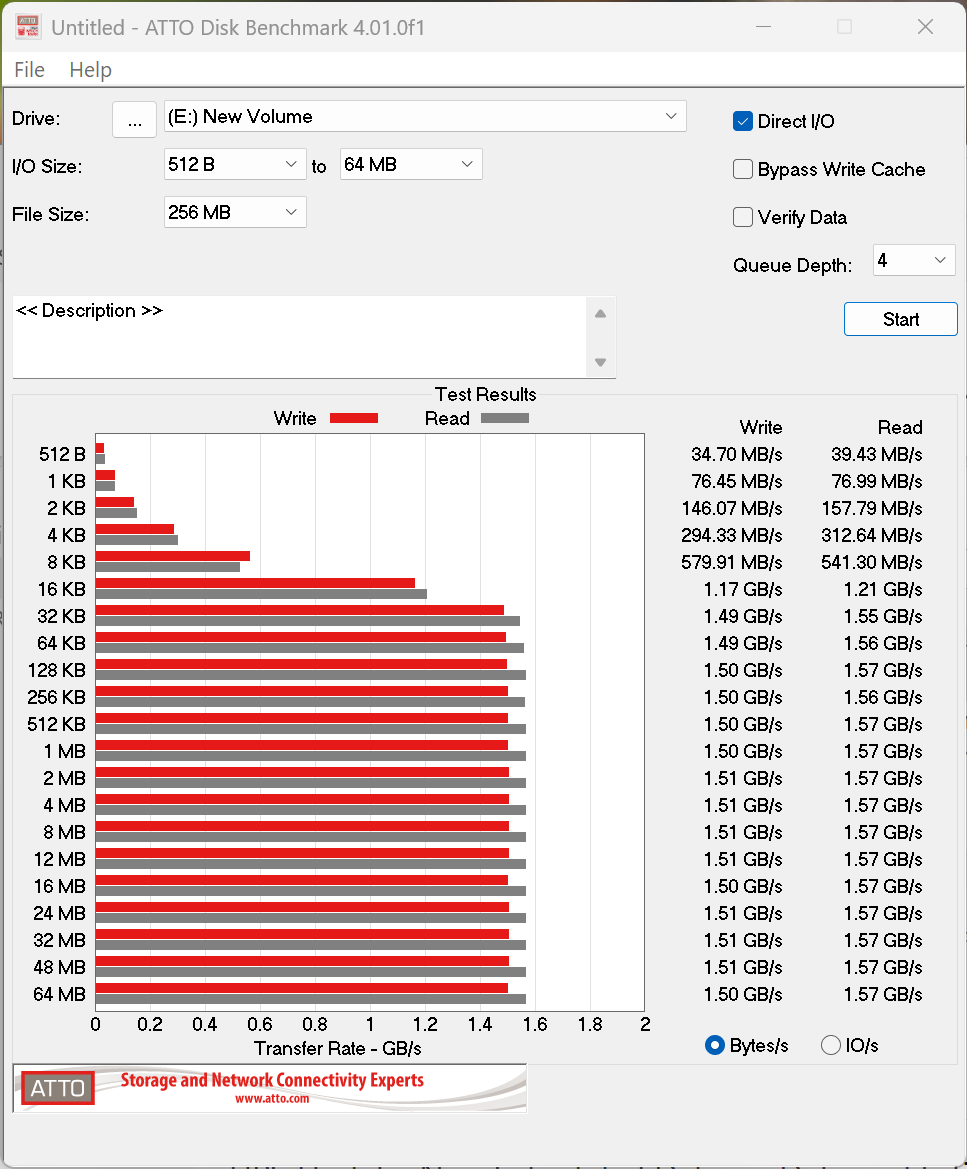
ATTO Disk Benchmark is one of the oldest storage benchmarks still in use and remains the industry standard for the performance figures published by most manufacturers. It uses RAW, or highly compressible, data to measure storage performance.
For our testing, we use a 256MB test file and measure both sequential read and write performance across transfer sizes ranging from 0.5KB to 8192KB. Manufacturers favor this methodology because compressible data typically produces higher throughput than random data, which contains incompressible information. While benchmarks that use random data generally provide a more realistic representation of real-world workloads, they also result in lower performance figures.
CRYSTAL DISK BENCHMARK VER. 8. 0.6 X64
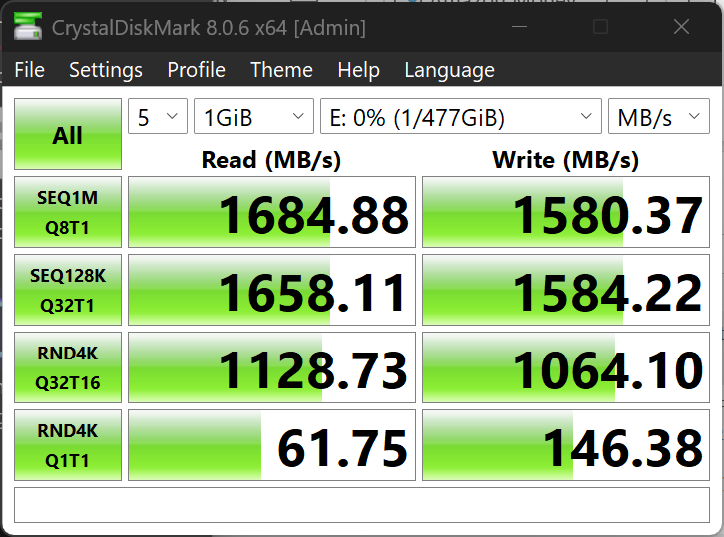
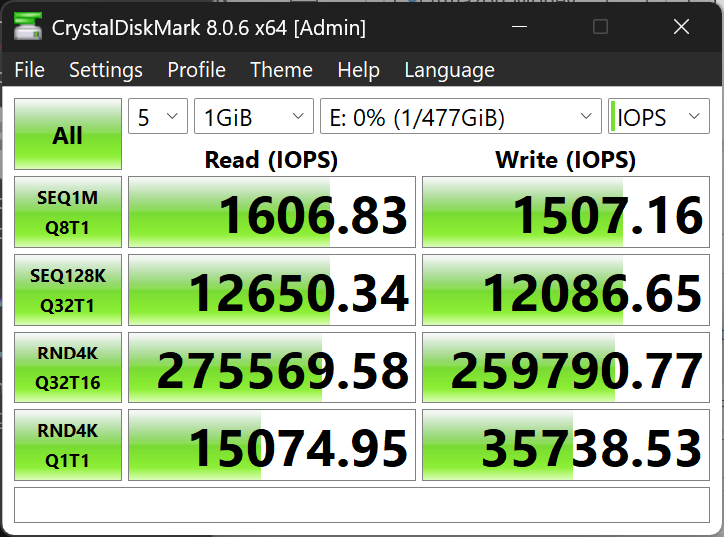
CrystalDiskMark measures storage performance using random data, which is largely incompressible and provides a more realistic representation of real-world workloads than compressible data tests. Since performance remains virtually identical across different random data patterns, we report results using the default random data sample for both read and write testing.
THROUGHPUT
IOPS
ANVIL STORAGE UTILITIES PROFESSIONAL
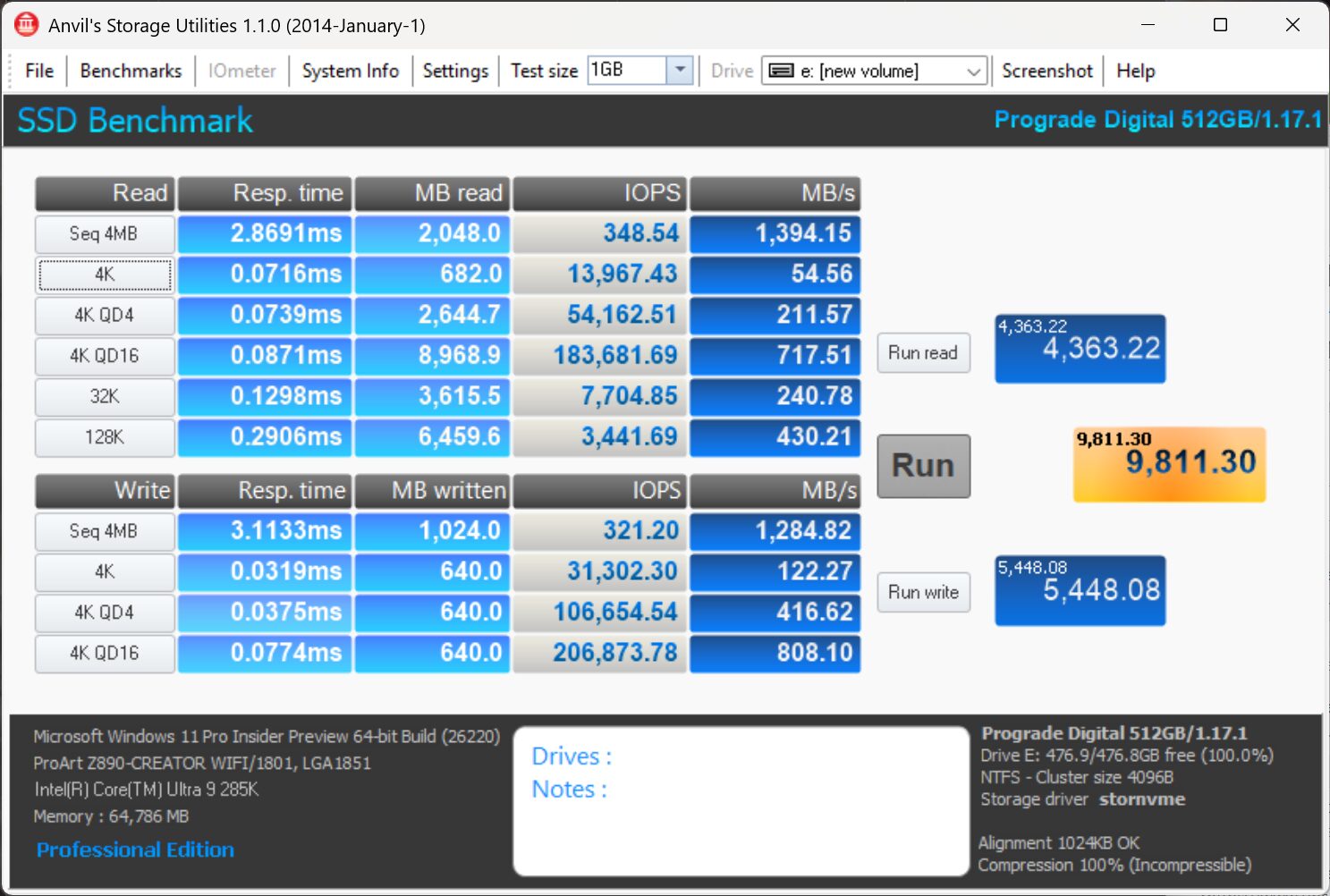
Anvil’s Storage Utilities (ASU) is one of the most comprehensive storage benchmarking suites available, providing detailed insight into overall drive performance. In addition to measuring sequential throughput, it reports IOPS and access times, offering a well-rounded view of storage performance.
Beyond its built-in SSD benchmark, ASU also includes endurance testing along with threaded read, write, and mixed I/O workloads. Its straightforward interface and extensive feature set make it an invaluable tool in our storage benchmark suite.
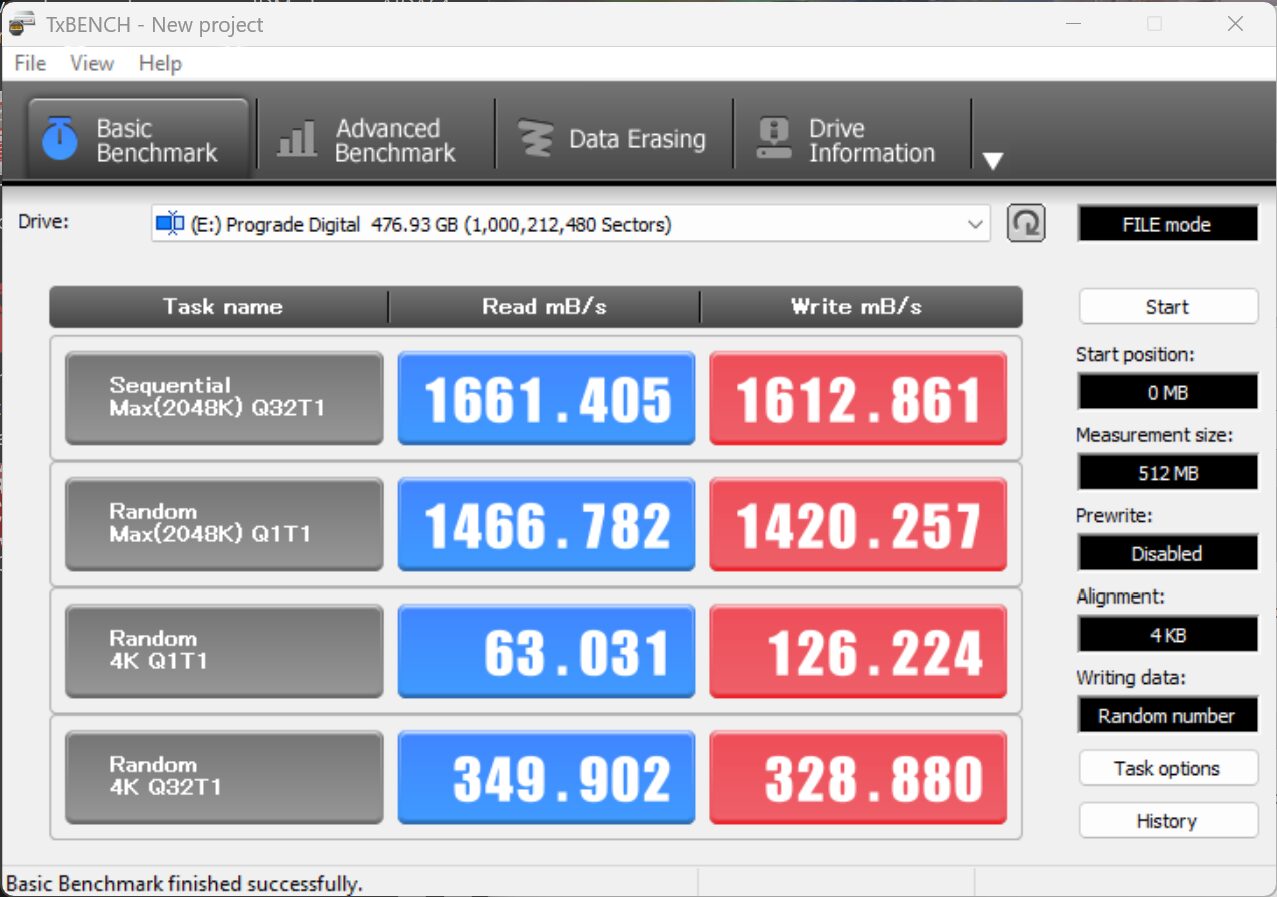
TxBENCH is one of the newer additions to our benchmark suite. While its core performance testing is similar to CrystalDiskMark, it also offers a number of advanced features. These include configurable workload benchmarking, detailed drive information, and maintenance tools such as Secure Erase, Enhanced Secure Erase, TRIM, and full data overwrite functions.
If you’d like to try it yourself, simply click the title to download a free copy.