 The SSD Review The Worlds Dedicated SSD Education and Review Resource |
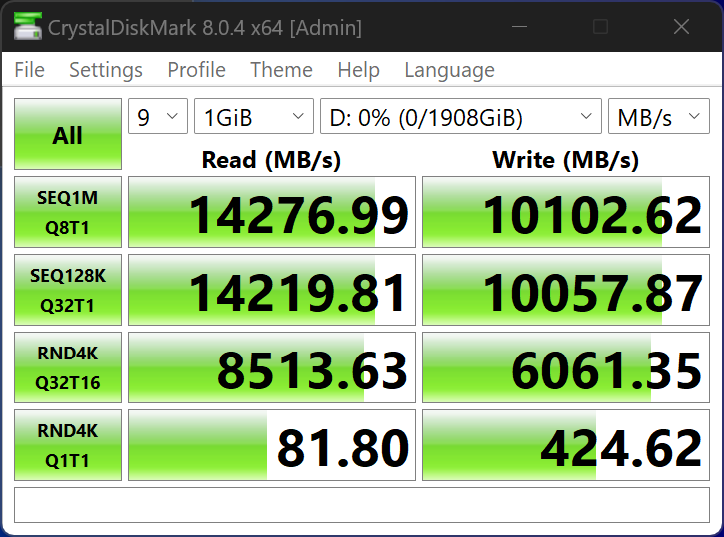
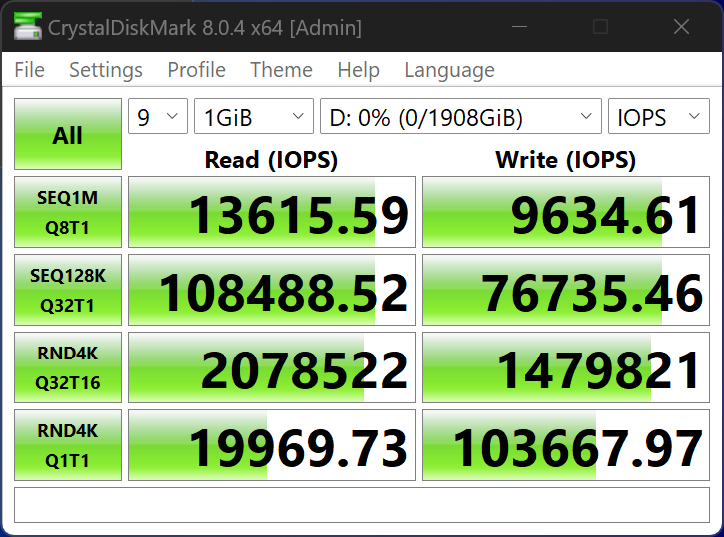
CRYSTAL DISK BENCHMARK VER. 8.0.4 x64
Crystal Disk Benchmark is used to measure read and write performance through sampling of random data which is, for the most part, incompressible. Performance is virtually identical, regardless of data sample so we have included only that using random data samples.
THROUGHPUT
IOPS
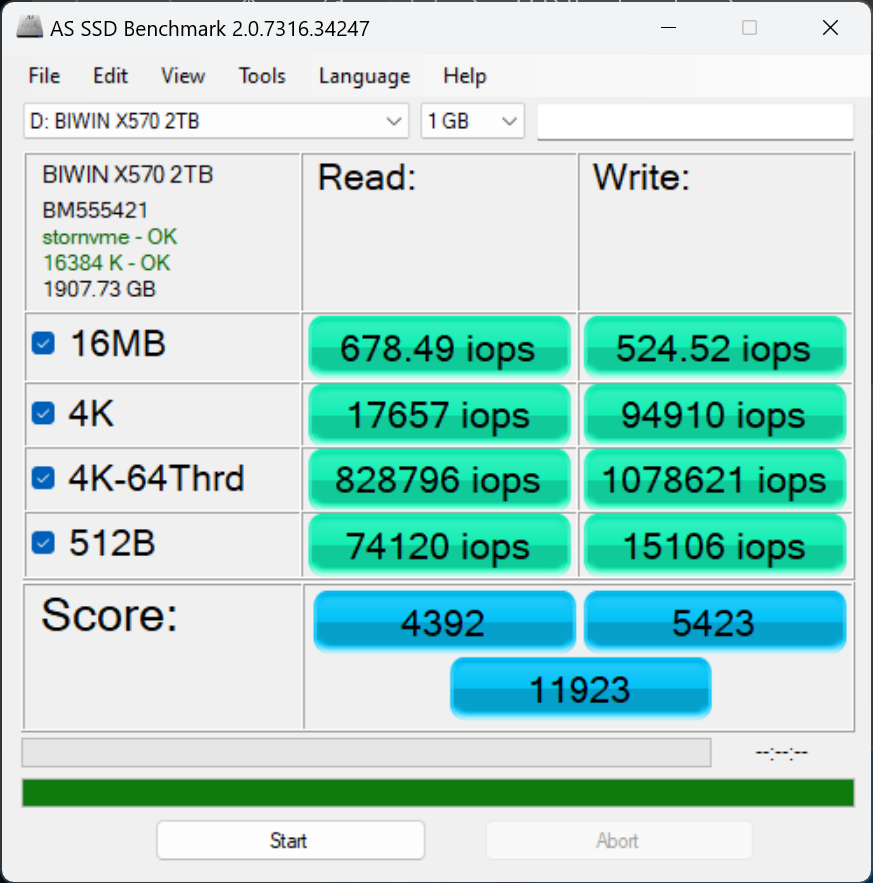
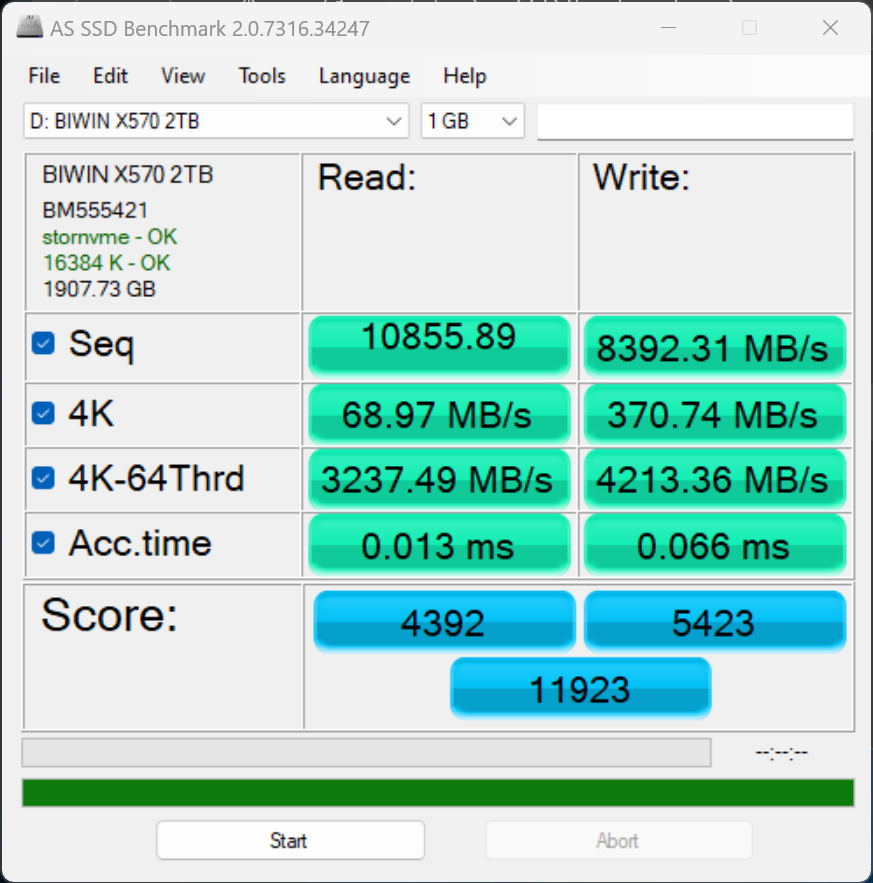
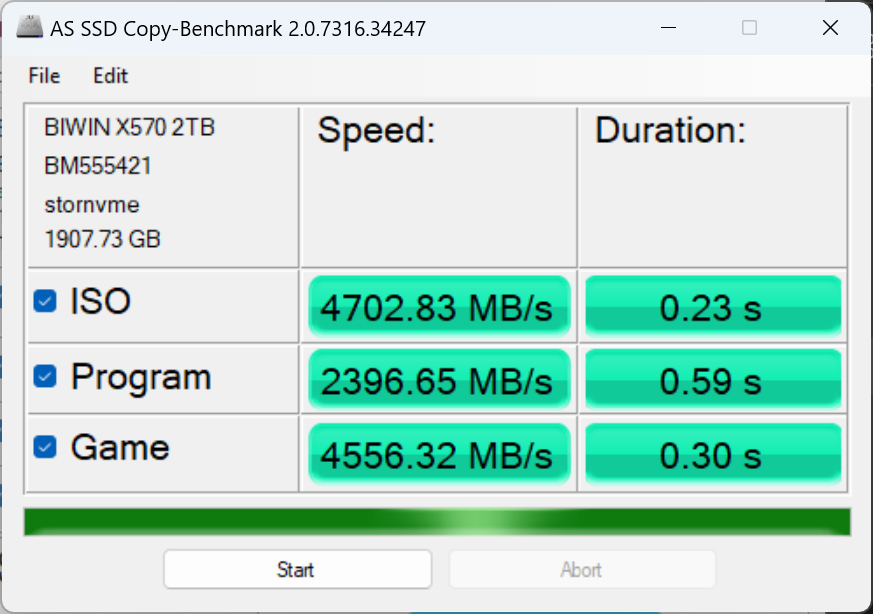
The toughest benchmark available for solid state drives is AS SSD as it relies solely on incompressible data samples when testing performance. For the most part, AS SSD tests can be considered the ‘worst case scenario’ in obtaining data transfer speeds and many enthusiasts like AS SSD for their needs.
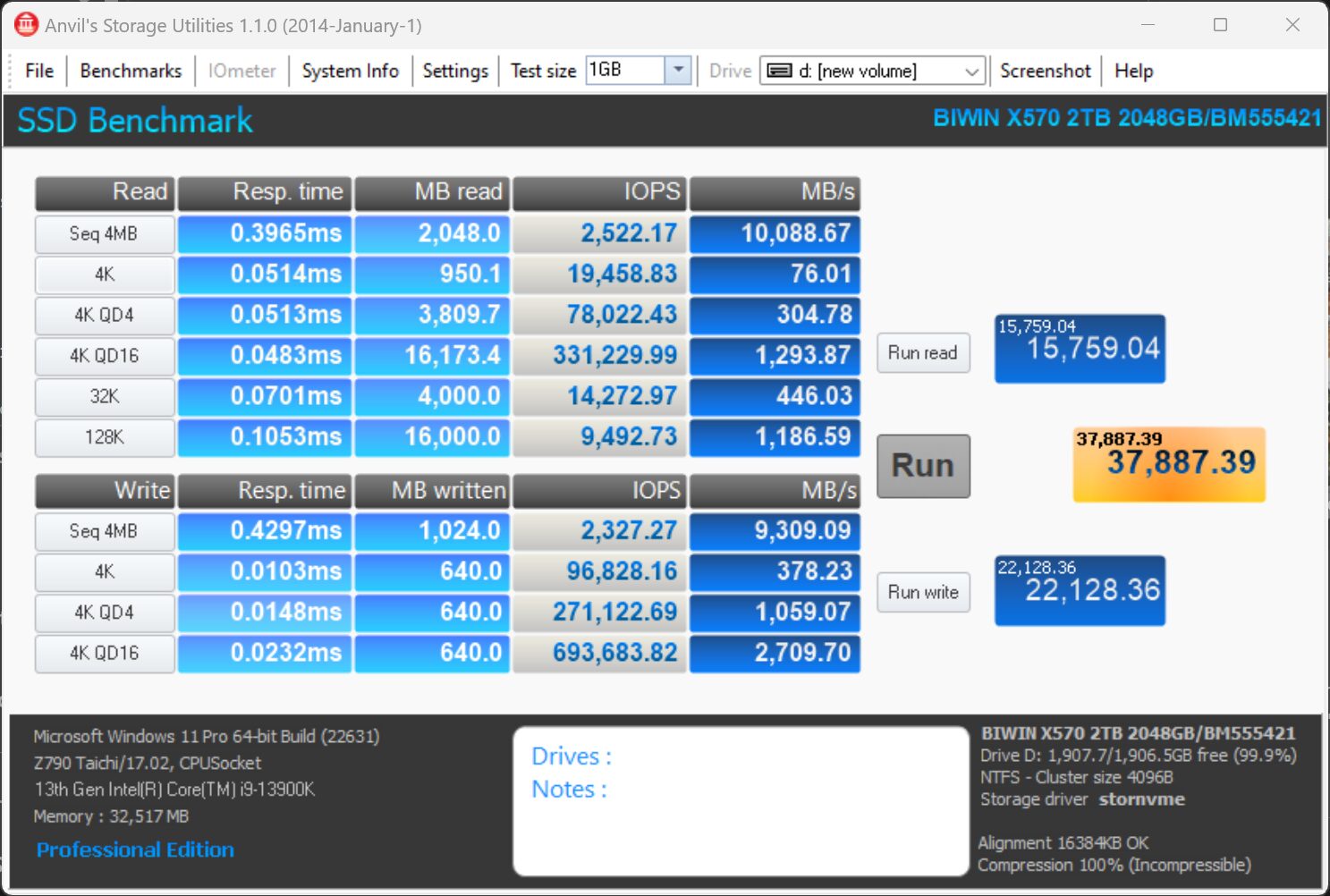
ANVIL STORAGE UTILITIES PROFESSIONAL
Anvil’s Storage Utilities (ASU) are the most complete test bed available for the solid state drive today. The benchmark displays test results for, not only throughput but also, IOPS and Disk Access Times. Not only does it have a preset SSD benchmark, but also, it has included such things as endurance testing and threaded I/O read, write and mixed tests, all of which are very simple to understand and use in our benchmark testing.
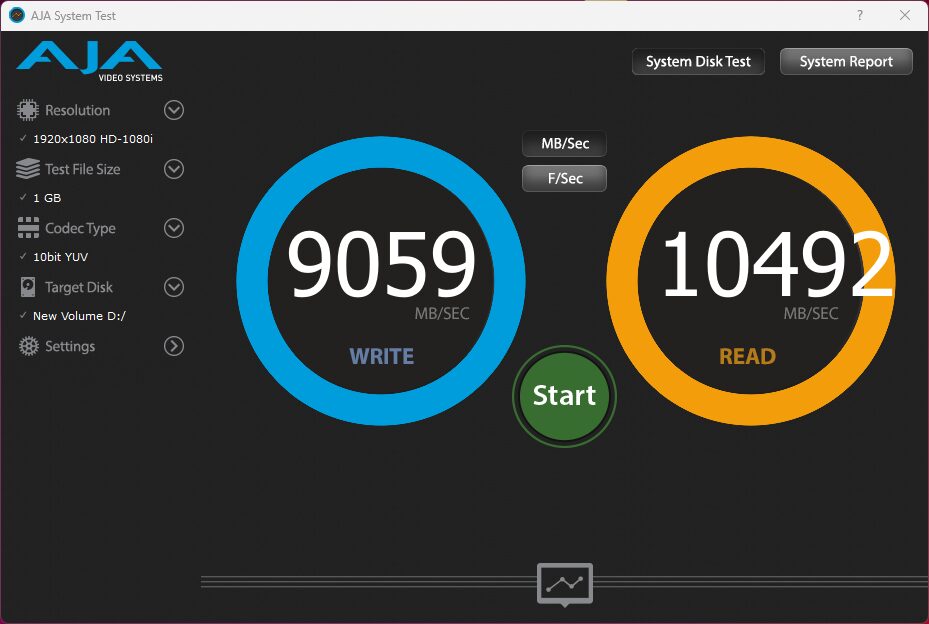
AJA VIDEO SYSTEM DISK TEST
The AJA Video Systems Disk Test is relatively new to our testing and tests the transfer speed of video files with different resolutions and Codec.
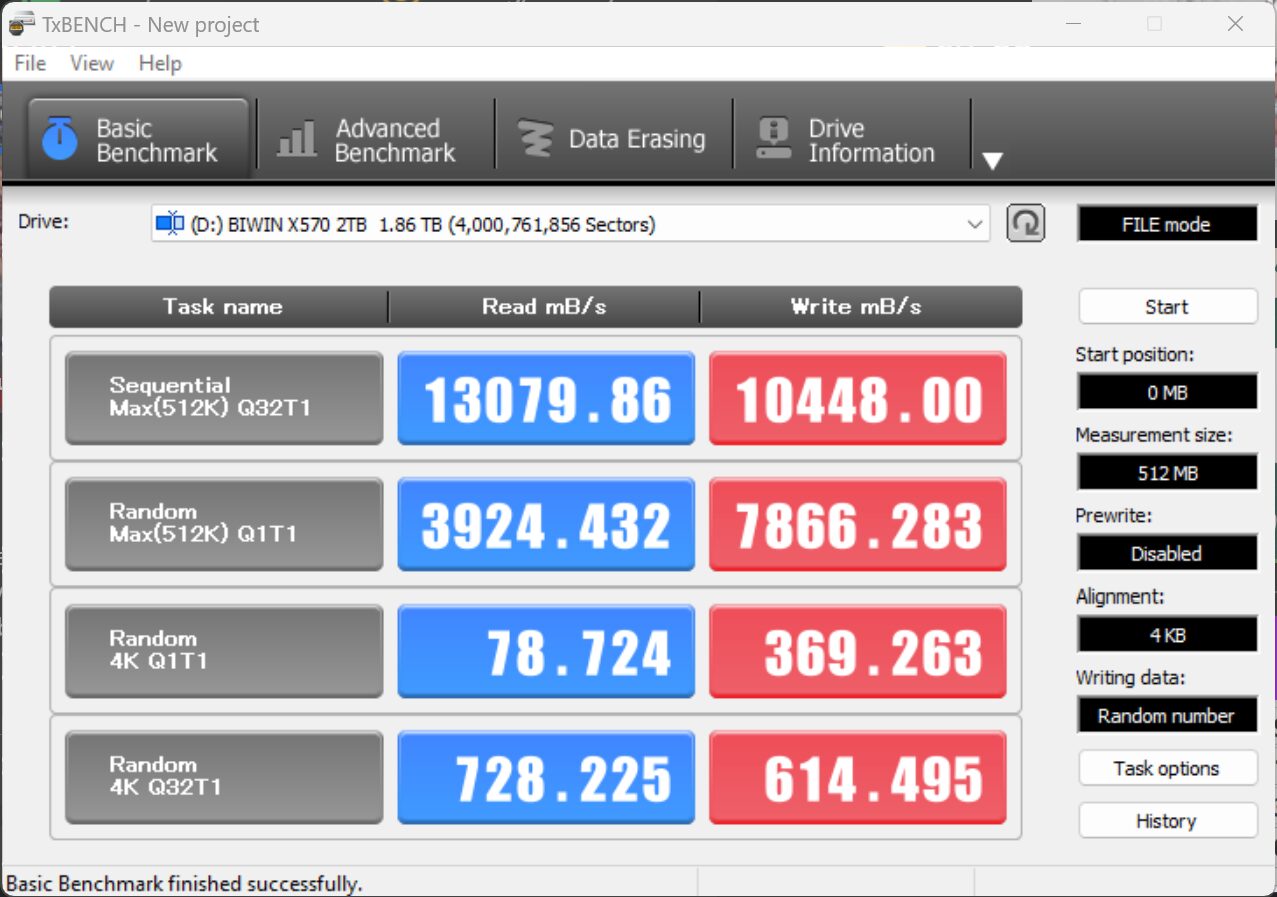
TxBench is one of our newly discovered benchmarks that we works much the same as Crystal DiskMark, but with several other features. Advanced load benchmarking can be configured, as well as full drive information and data erasing via secure erase, enhanced secure erase, TRIM and overwriting. Simply click on the title for a free copy.
I seem to remember that DRAMLESS SSDs gets significantly slower once filled over 50%. Did you notice anything like that?
This theory is not restricted to DRAMless SSDs and not current. Explaining in the most basic of terms, it relates to how information is saved and deleted from pages and blocks as the SSD fills past, for the most part, the 80% mark. Overprovisioning and Garbage Collection which is present in all SSDs counters this. We discuss that in detail in our Beginners article, Trim and Garbage Collection. I would invite you to return with a link if you have found something other than this. We have not, and don’t find it necessary to fill a drive in order to dedtermine if it slows which, actually also brings up another thought which is present in all SSDs, steady state transfer. All SSDs will slow to a certain speed for large transfers; this is inevidable. It is not the result of the drive being half full, and is not restricted to DRAMless SSDs.
SSD and Ram required