 The SSD Review The Worlds Dedicated SSD Education and Review Resource |
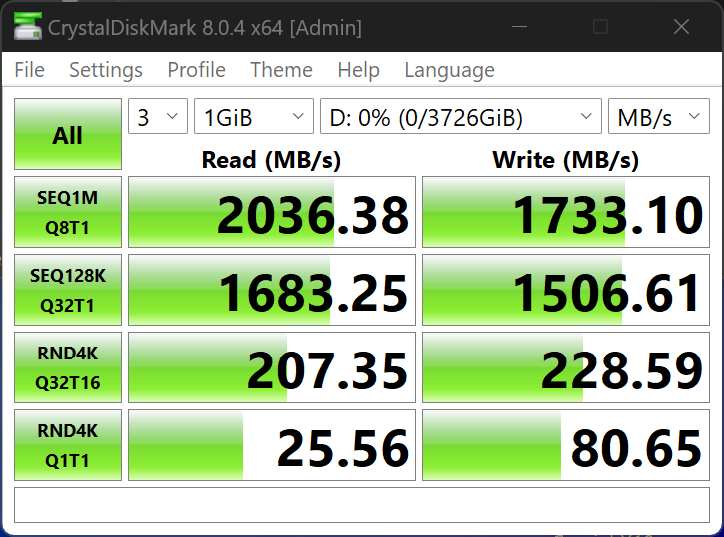
CRYSTAL DISK BENCHMARK VER. 8.0.4 x64
Crystal Disk Benchmark is used to measure read and write performance through sampling of random data which is, for the most part, incompressible. Performance is virtually identical, regardless of data sample so we have included only that using random data samples.
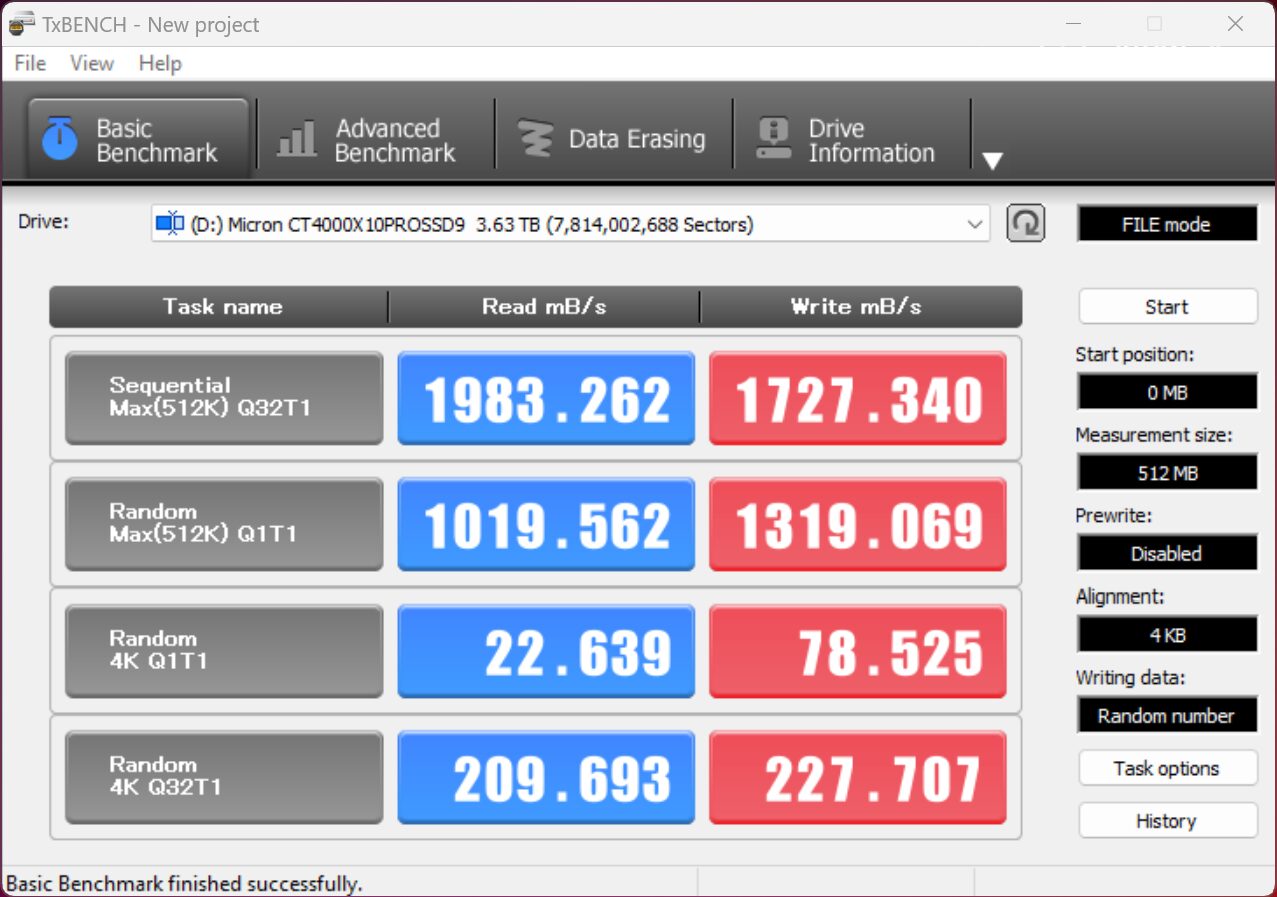
TxBench is one of our newly discovered benchmarks that we works much the same as Crystal DiskMark, but with several other features. Advanced load benchmarking can be configured, as well as full drive information and data erasing via secure erase, enhanced secure erase, TRIM and overwriting. Simply click on the title for a free copy.
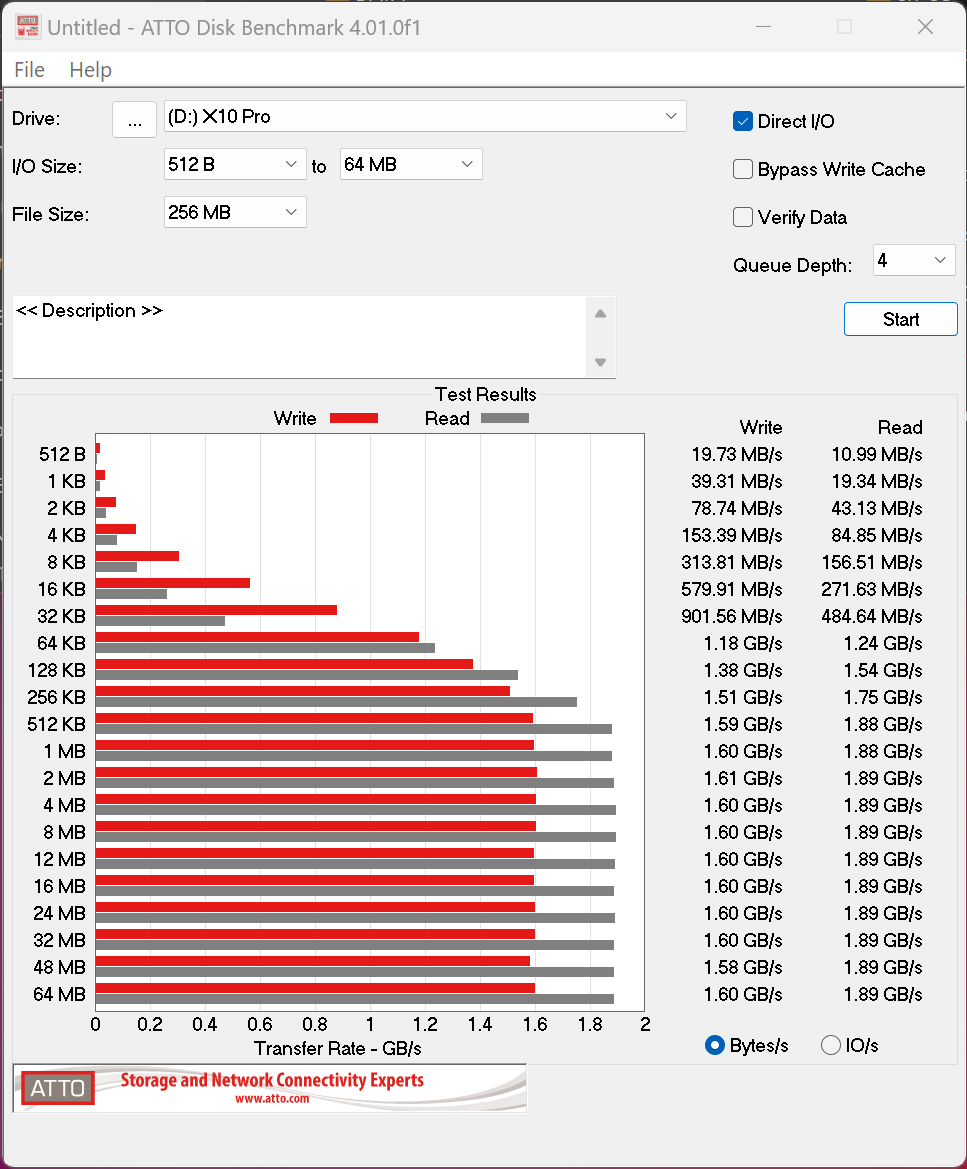
ATTO Disk Benchmark is perhaps one of the oldest benchmarks going and is definitely the main staple for manufacturer performance specifications. ATTO uses RAW or compressible data and, for our benchmarks, we use a set length of 256mb and test both the read and write performance of various transfer sizes ranging from 0.5 to 8192kb. Manufacturers prefer this method of testing as it deals with raw (compressible) data rather than random (includes incompressible data) which, although more realistic, results in lower performance results.
SUSTAINED WRITE PERFORMANCE
In this benchmark, we created a 391GB 8K file and transfered it onto the Crucial X10 Pro in order to determine and change of performance, and also, the median transfer speed for the data transfer.
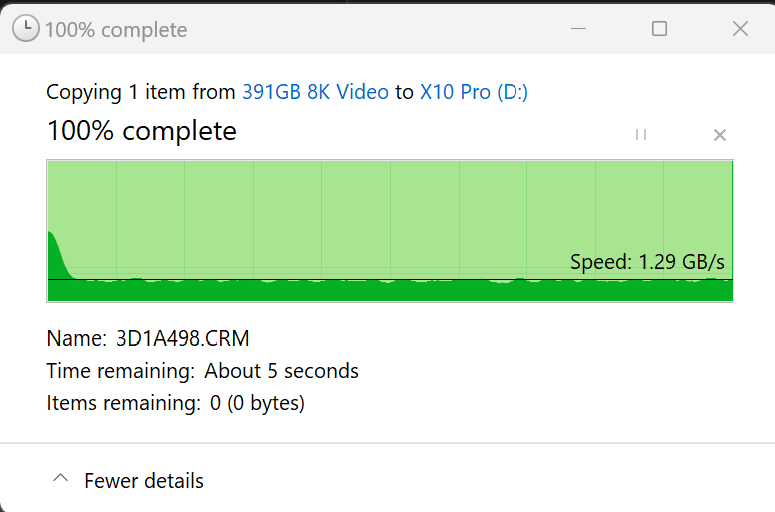
Our transfer test validated that the entire file was transfered at a sustained rate of just under 1.29GB/s which is well above the minimum required speed necessary for saving video directly from a video camera.
REPORT SUMMARY AND FINAL THOUGHTS
There is much to like about the Crucial X10 Pro 20Gbps Portable SSD. From it’s speeds of 2100MB/s to the 5-year warranty, higher capacity to 4TB and sustained write performance above 1GB/s, this SSD is a definite recommendation considering its very size.
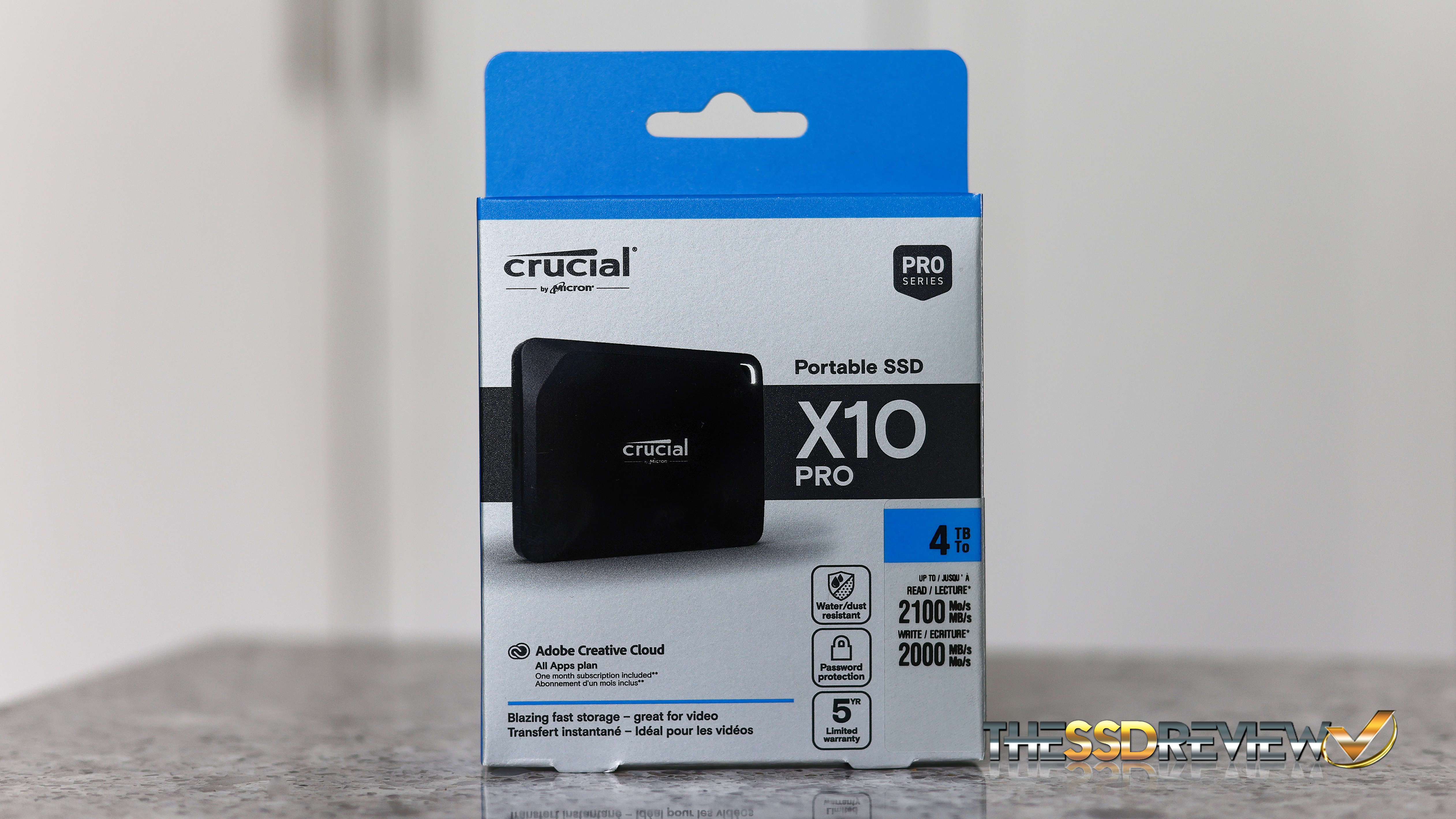
Pricing is decent and, even when we pushed this in transferring data, it only became mildly warm in ones hand. If you are looking for an affordable and fast media creation and storage solution and simply can’t reach that USB4 pricing just yet, the Crucial X10 Pro 20Gbps Portable SSD just might be for you.
CHECK CRUCIAL X10 PRO PRICING AT AMAZON

Just a quick question: Without enforcing that a password be set on the drive, does the automatic encryption at rest actually do anything for security? Or is it just a marketing checkpoint?
If plugging in/powering on the drive automatically enables encrypt/decrypt silently in the background, the data is not in any way protected that I can see.
I like the idea of encryption at rest, but if it’s security theater, then it is the same as any other drive.
To be clear, this isn’t specific to this drive, just the call out in the article made me wonder more about its usefulness.
One of the most important considerations of self-encrypting drives is that they are hardware and not software based, providing little if any performance lost in the encryption process. Does this mean that if I remove my SSD and place it in another PC it can’t be read? Absolutely not, however, when combined with programs such as BiLocker, SSDs comply with TCG Opal 2.0 and FIPS 140-2 standards and cannot be compromised. TCG Opal compliance also enables companies such as MacAfee, Symantec etc to take advantage of the encryption. An example of this is specific to the X10 which does not have AES 256-bit encryption like the X10 Pro. It is this encryption that allows Crucial to provide software for the extra password security of the X10 Pro. Very very important consideration is that, if you lose the password, you will not gain access to the protected data. Period. It is lost.